Every developer using AI assistants needs a vibe coding security checklist before shipping production code. Recent research from Veracode found that 45% of AI-generated code contains security flaws. In addition, Cloud Security Alliance puts the number even higher at 62%. Furthermore, CodeRabbit found that AI-generated pull requests contain 2.74 times more security issues than human-written ones. Finally, the SUSVIBES benchmark reported that even when 61% of agent-generated code is functionally correct, only 10.5% is actually secure.
If you are vibe coding by prompting Claude, Cursor, Copilot, or another AI assistant, the code often looks confident and complete. However, the data says it is frequently not safe to ship. Therefore, you need a structured way to verify it.
This guide gives you something usable today. Specifically, it is a 12-point security checklist of the mistakes AI assistants make most often when generating code. Moreover, it shows you how to verify each one in your own codebase. Use it as a final pass before any production release.
The Vibe Coding Security Checklist
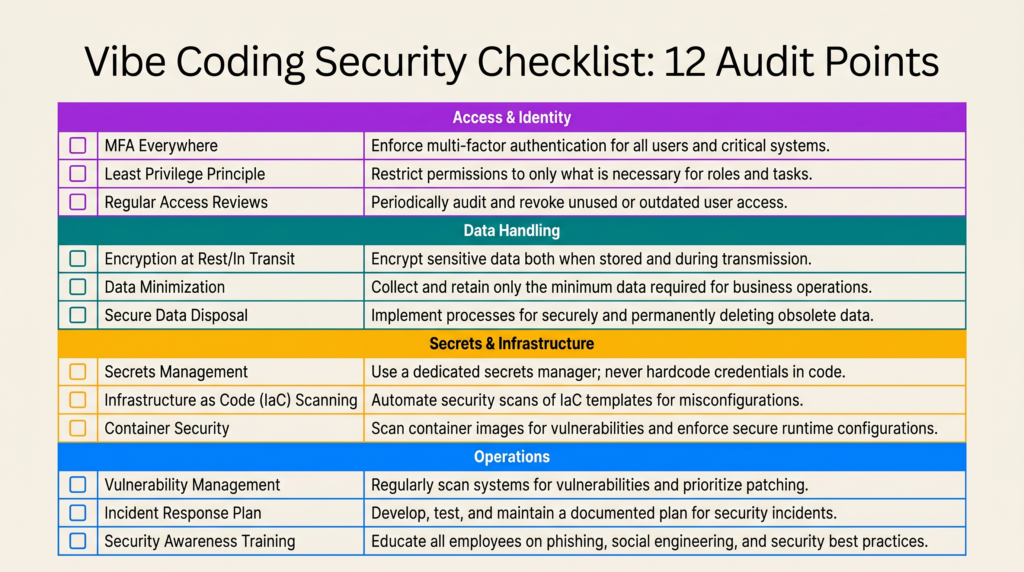
The image above is the full vibe coding security checklist in one view. Each row is a security control AI-generated code commonly omits. As a result, you can save it, copy it into your project’s README, or add it to your pull request template. Then run through it before any release.
The rest of this article walks through each item in detail. First, it shows you what the AI mistake actually looks like in code. Next, it tells you how to spot it in five seconds or less. Finally, we will reference the checklist again at the end so you can confirm where you stand.
Why AI-Generated Code Needs Its Own Security Checklist
Modern LLMs are trained on enormous amounts of public code. This includes a lot of insecure tutorials, abandoned repos, and Stack Overflow answers from a decade ago. As a result, they optimize for code that runs, not code that is actually secure. Consequently, the output is confident, well-formatted, well-named code missing the security controls a senior engineer would add reflexively.
Vibe coding with no technical background makes this problem worse. When you accept AI suggestions lazily without line-by-line review, you inherit every insecure pattern in the model’s training data. Meanwhile, you only consciously notice the productivity gain. Your job, therefore, is to catch what is not there. That is harder than reviewing for bugs because absence is invisible. Fortunately, the checklist makes the invisible visible.
Walking Through the 12 Vibe Coding Security Checks
Access & Identity Checks
1. Authorization on every route. This is the #1 web vulnerability and the easiest AI failure to spot. Specifically, AI will write an endpoint and forget that User A should not be able to fetch User B’s order by changing the ID in the URL. Authentication (“you are logged in”) and authorization (“you can access this specific resource“) are two different checks.
Here is what the mistake looks like, and the fix:
// ❌ Dangerous: any site can read authenticated responses
app.use(cors({
  origin: '*',
  credentials: true,
}));

// ✅ Explicit allowlist
const allowedOrigins = [
  'https://yourapp.com',
  'https://app.yourapp.com',
];

app.use(cors({
  origin: (origin, callback) => {
    if (!origin || allowedOrigins.includes(origin)) {
      callback(null, true);
    } else {
      callback(new Error('Not allowed by CORS'));
    }
  },
  credentials: true,
}));
Look for an ownership check on every endpoint that touches user data. If it is missing, that is an immediate fix.
2. Authentication is library-backed. If you see hand-rolled JWT signing, custom bcrypt loops, or session logic written from scratch, stop immediately. AI assistants will happily generate authentication code that looks correct. However, it often contains a subtle flaw. For example, you might find timing attacks on password comparison, missing token expiration, or weak signing algorithms. Instead, use Auth.js, Clerk, Auth0, Lucia, or your framework’s official auth solution. This is not the place to be original.
3. Rate limits on sensitive endpoints. AI almost never adds rate limiting unless you explicitly ask. Without it, your login endpoint becomes a credential-stuffing target. Similarly, your password reset becomes an enumeration oracle. Additionally, your signup flow turns into a spam machine. Therefore, add per-IP and per-account limits to login, signup, password reset, and any expensive query:
import rateLimit from 'express-rate-limit';

const loginLimiter = rateLimit({

  windowMs: 15 * 60 * 1000, // 15 minutes

  max: 5,                    // 5 attempts per IP

  standardHeaders: true,

  message: 'Too many login attempts. Try again in 15 minutes.',

});

app.post('/api/auth/login', loginLimiter, loginHandler);
Data Handling Checks
4. Parameterized queries everywhere. The single most dangerous AI pattern is constructing queries with template literals. Consequently, this is SQL injection waiting to happen. Moreover, AI generates it constantly when not using an ORM:
// ❌ SQL injection vulnerability

const user = await db.query(

  `SELECT * FROM users WHERE email = '${email}'`

);

// ✅ Parameterized query

const user = await db.query(

  'SELECT * FROM users WHERE email = $1',

  [email]

);

// ✅ Or use an ORM (Prisma example)

const user = await prisma.user.findUnique({ where: { email } });
Search your codebase for backticks inside query ( calls or any database method. If you find any, replace them with parameterized queries or ORM methods. In addition, this rule extends to NoSQL (Mongo $where), shell commands (exec, spawn with concatenated strings), and LDAP queries.
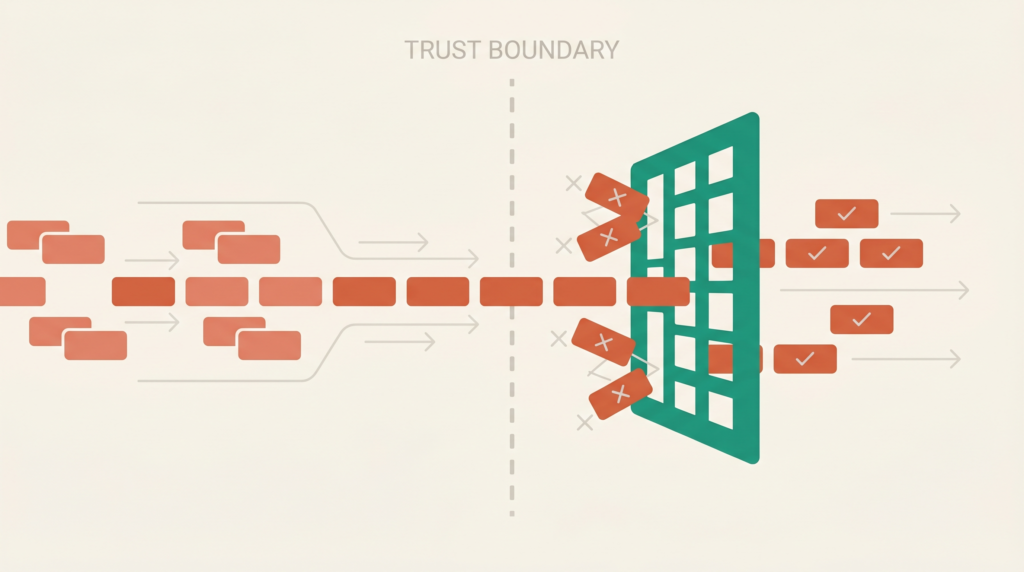
5. Input validation at every boundary. Every piece of data crossing into your system from the outside is hostile until validated. This includes request bodies, query parameters, headers, webhook payloads, and even data coming back from third-party APIs. Fortunately, the fix is straightforward:
import { z } from 'zod';

const CreateUserSchema = z.object({

  email: z.string().email().max(255),

  password: z.string().min(12).max(128),

  age: z.number().int().min(13).max(120),

});

app.post('/api/users', async (req, res) => {

  const result = CreateUserSchema.safeParse(req.body);

  if (!result.success) {

    return res.status(400).json({ errors: result.error.issues });

  }

  // result.data is now type-safe and validated

  const user = await createUser(result.data);

  res.json(user);

});
The AI failure mode is validating only the obvious fields and trusting the rest. As a result, look for endpoints that destructure req.body without running it through a schema first.
6. Output encoded for its context. React escapes by default. That is why XSS is rarer than it used to be. However, that protection vanishes the moment you see dangerouslySetInnerHTML. Likewise, server-rendered strings spliced into HTML without escaping are dangerous. Finally, watch out for user-controlled href values starting with javascript:
// ❌ XSS vulnerability

<div dangerouslySetInnerHTML={{ __html: userContent }} />

// ✅ Sanitize first

import DOMPurify from 'isomorphic-dompurify';

<div dangerouslySetInnerHTML={{ __html: DOMPurify.sanitize(userContent) }} />

// ✅ Or just render as text (preferred when possible)

<div>{userContent}</div>
Secrets & Infrastructure Checks
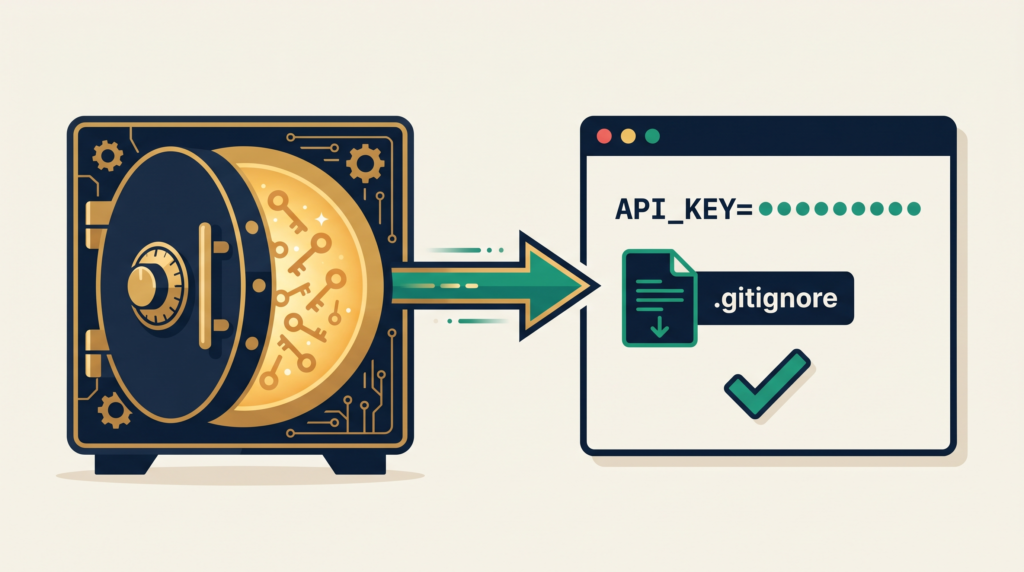
7. No secrets in code or client bundle. Hardcoded secrets are one of the most documented vibe coding failures. For instance, Lovable’s AI assistant famously generated code with hard-coded database credentials that made it to production. Therefore, open your repo and search for telltale strings:
# Run these in your repo root to catch common leaks

grep -rE "(sk_live|sk_test|api[_-]key|password\s*[:=])" \

  --include="*.{ts,tsx,js,jsx,json}" .

# Check git history for past leaks

git log -p | grep -iE "(api[_-]key|secret|password)" | head -50

# Verify .env is gitignored

grep -E "^\.env" .gitignore
Anything that is not a placeholder needs to move to environment variables. Also, for Next.js specifically, anything prefixed NEXT_PUBLIC_ ships to the browser and is public. As a result, you should never put real secrets there.
8. CORS configured deliberately. When AI sees a CORS error in the browser, its default fix is to make the policy as permissive as possible. Consequently, the dangerous pattern looks like this:
// ❌ Dangerous: any site can read authenticated responses

app.use(cors({

  origin: '*',

  credentials: true,

}));

// ✅ Explicit allowlist

const allowedOrigins = [

  'https://yourapp.com',

  'https://app.yourapp.com',

];

app.use(cors({

  origin: (origin, callback) => {

    if (!origin || allowedOrigins.includes(origin)) {

      callback(null, true);

    } else {

      callback(new Error('Not allowed by CORS'));

    }

  },

  credentials: true,

}));
9. Dependencies audited. First, run npm audit and address high-severity findings. Next, commit your lockfile (package-lock.json or yarn.lock). Then, look at the scripts section of every dependency’s package.json for preinstall and postinstall hooks. These are a common vector for supply-chain attacks like the Lazarus Group’s BeaverTail campaign. Specifically, that campaign targeted developers through fake recruiter outreach and malicious npm packages.
# Check for suspicious install scripts in dependencies

npm ls --all --json | jq '.dependencies | to_entries[] | select(.value.scripts.preinstall or .value.scripts.postinstall) | .key'

# Audit for known vulnerabilities

npm audit --audit-level=high
Be especially suspicious of newly published packages with names similar to popular ones (typosquatting). Likewise, watch for packages that have changed maintainers recently. Furthermore, AI assistants have been documented hallucinating package names that do not exist. As a result, attackers register those names and wait quietly for vibe coders to fall for their traps.
Operations Checks
10. Errors do not leak internals. A production API that returns full error details is handing attackers your file paths, library versions, and sometimes credentials embedded in connection strings:
// ❌ Leaks stack traces and internals to clients

app.use((err, req, res, next) => {

  res.status(500).json({ error: err.message, stack: err.stack });

});

// ✅ Generic to client, detailed to logs

app.use((err, req, res, next) => {

  logger.error({ err, path: req.path, userId: req.user?.id });

  res.status(500).json({

    error: 'Internal server error',

    requestId: req.id, // for support correlation

  });

});
11. Logs scrubbed of sensitive data. The classic AI mistake is console.log(req.body) on a login route. Consequently, this writes every password attempted on your service to your logs. Audit your logging for full request bodies on auth endpoints. Similarly, check for full token values, full credit card numbers, and PII you do not have a justified need to retain. Instead, use a logger with built-in redaction:
import pino from 'pino';

const logger = pino({

  redact: {

    paths: [

      'req.body.password',

      'req.body.creditCard',

      'req.headers.authorization',

      'req.headers.cookie',

      '*.ssn',

    ],

    censor: '[REDACTED]',

  },

});
12. HTTPS & security headers. This is the one item your hosting provider often handles for you. However, you should still verify a few things. First, TLS is enforced (HTTP redirects to HTTPS). Second, HSTS is set. Third, cookies have Secure, HttpOnly, and SameSite flags. Finally, you have a Content Security Policy in place. Fortunately, Helmet.js for Express handles most of this with one line:
import helmet from 'helmet';

app.use(helmet({
  contentSecurityPolicy: {
    directives: {
      defaultSrc: ["'self'"],
      scriptSrc: ["'self'"],
      styleSrc: ["'self'", "'unsafe-inline'"],
      imgSrc: ["'self'", "data:", "https:"],
    },
  },
  hsts: { maxAge: 31536000, includeSubDomains: true, preload: true },
}));
Running the Vibe Coding Security Checklist
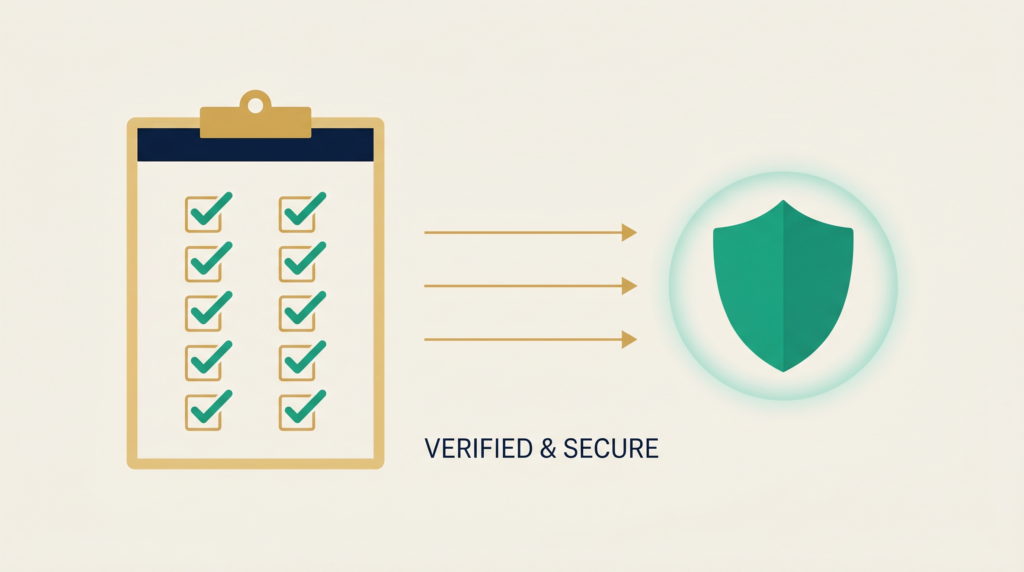
Now scroll back up. Then go through each row of the vibe coding security checklist. If you can confidently check all 12 boxes, your application has cleared the most common vibe coding security failures. To be clear, this means you have actually verified each item in code, not just nodded along. That is a meaningful bar. Moreover, given that 45% of AI-generated code ships with vulnerabilities, clearing this checklist puts you well ahead of the median.
However, it is not the whole bar.
The Honest Limit of a Vibe Coding Security Checklist
A checklist catches common mistakes. However, it does not catch business logic flaws or novel attack surfaces. Likewise, it cannot find the kind of subtle issues that come from understanding how an attacker actually thinks. For example, it will not catch the fact that your discount code endpoint allows negative values that increase the order total. Similarly, it will not catch that your file upload accepts SVGs containing JavaScript. Furthermore, it will not catch the race condition in your withdrawal endpoint that lets the same balance be spent twice.
Real-World Examples of What Checklists Miss
These are the issues that take down real businesses. Therefore, they require human security expertise to find. For example, Replit’s AI agent famously deleted production databases despite explicit safety instructions. Similarly, Stack Overflow ran an experiment where a non-technical writer used AI to generate a complete application. As a result, security researchers found the entire attack surface was exploitable. Specifically, there was no authentication, no input validation, and hardcoded credentials throughout. These are not checklist items. Rather, they are the result of shipping code without anyone who actually understands security looking at it.
Why Human Review Still Matters
In other words, no checklist replaces hiring an actual web and software development professional with proven production experience. AI is a tool to amplify a skilled engineer, not a substitute for one. If your application handles money, personal data, healthcare information, or anything you cannot afford to have compromised, get human eyes on it. Ideally, do this before you launch. At the very least, do it before you scale.
Get a Professional Vibe Coding Security Audit
If you are shipping a Shopify storefront, a SaaS product, a mobile app backend, or any custom web application built with AI assistance, you need a professional review. Specifically, you want someone to run this vibe coding security checklist and the deeper review behind it. That is exactly what Sleek App provides. In particular, we offer security audits and full-stack development services for teams who want to ship confidently. Moreover, we have spent nine-plus years building production e-commerce and software for clients who cannot afford to get this wrong. Fill out the contact form below. Then we will get back to you within one business day.
Ship fast. Also, ship secure. The two are not actually in conflict. However, both require knowing what you are looking for.